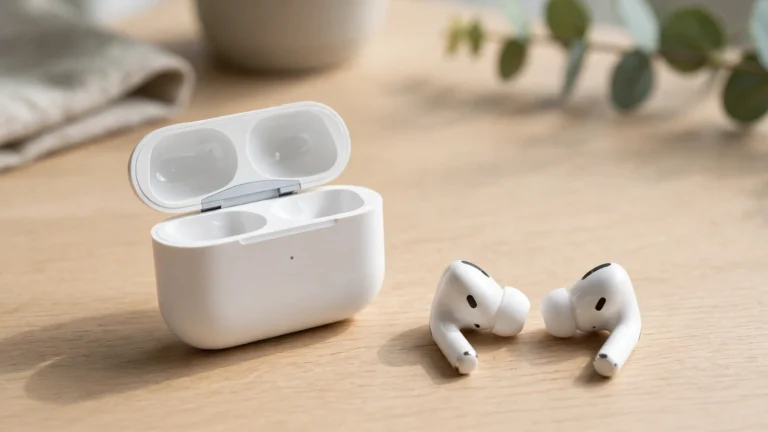






If you just picked up a pair of AirPods Pro, AirPods Max, or AirPods 4 with ANC and want to know how to use noise cancellation on AirPods, here’s the short version: Apple calls the whole thing “Noise Control,” and it has three modes — Noise Cancellation, Transparency, and Off. Switch between them with a […]
If you just picked up a pair of AirPods Pro, AirPods Max, or AirPods 4 with ANC and want to know how to use noise cancellation on AirPods, here’s the short version: Apple calls the whole thing “Noise Control,” and it has three modes — Noise Cancellation, Transparency, and Off. Switch between them with a press-and-hold on the earbud stem, from Control Center on your iPhone, or under Settings > Bluetooth.
Noise Cancellation shuts the world out — engine hum, office chatter, train rumble. Transparency lets outside sound in so you can hear announcements without pulling the buds out. Off disables the whole system, which saves a little battery.
First, Check Your AirPods Actually Have It
It works on AirPods Pro (every generation), AirPods Max, and AirPods 4 with ANC — but NOT on AirPods 1, 2, or the regular AirPods 3. If you don’t see a Noise Control option anywhere, this is probably why: the hardware just isn’t there.
Switch Modes Right on the AirPods
On AirPods Pro, press and hold the flat part of either stem — the force sensor — until you hear a little chime. It toggles between the two modes you’ve allowed, which by default are Noise Cancellation and Transparency. You can change which modes the stem cycles through in Settings.
On AirPods Max, press the dedicated round button on the right earcup to flip between Noise Cancellation and Transparency.
Switch Modes from Your iPhone
Two ways, pick whichever feels natural:
Control Center. Swipe down from the top-right corner, then press and hold the volume slider. The Noise Control options appear at the bottom — tap Noise Cancellation, Transparency, or Off.
Settings. Go to Settings > Bluetooth, find your AirPods, and tap the (i) next to the name. There’s a Noise Control section where you can pick a mode, plus the Ear Tip Fit Test for AirPods Pro owners (more on that below).
Switch Modes on a Mac
Click the sound icon in the menu bar and choose your mode right there. Or open System Settings > Bluetooth, click the (i) next to your AirPods, and pick under Noise Control.
Just Ask Siri
Say “Hey Siri, turn on noise cancellation” — or “switch to Transparency mode.” It works on whichever device your AirPods are connected to.
Run the Ear Tip Fit Test (AirPods Pro)
Noise cancellation only works well when the ear tips seal properly. Apple built a quick test for exactly this:
- Put both AirPods in your ears.
- Go to Settings > Bluetooth and tap the (i) next to your AirPods.
- Tap Ear Tip Fit Test, then Continue.
- It plays a short piece of music and checks the seal in each ear.
If the fit is good, you’re set. If not, try a different tip size — the box comes with three. Plenty of people who think their ANC is weak are just wearing the wrong size, so try all three first.

When Noise Cancellation Stops Working
ANC can get flaky now and then. Work through these in order:
- Check the fit. Re-run the Ear Tip Fit Test, and wipe the tips down — dirt breaks the seal faster than you’d think.
- Toggle the mode off and back on. Sometimes the software just needs a nudge.
- Update iOS. AirPods firmware improvements ship with iOS updates, and ANC behavior can change with them.
- Re-pair the buds. Forget them in Bluetooth settings, put them back in the case, and pair again.
- Last resort: reset your AirPods. This clears the pairing state entirely and fixes most stubborn issues.
Nobody should need to factory reset an iPhone just to fix AirPods audio — re-pairing almost always does the trick. But that guide is there if you ever genuinely need it for something else.
And wind messes with noise cancellation — the microphones pick up rushing air — so if you’re running or cycling outdoors, Transparency is usually the better call. You want to hear traffic anyway.
Frequently Asked Questions
Do all AirPods have noise cancellation?
No. Only AirPods Pro (all generations), AirPods Max, and AirPods 4 with ANC. The standard AirPods 1, 2, and 3 don’t have it — there’s no setting to enable because the hardware isn’t built for it.
Why does noise cancellation feel like pressure in my ears?
That “pressurized” feeling is normal at first — your brain notices the sudden drop in low-frequency sound. Most people stop noticing it after a few days. If it bothers you, use Transparency mode or take breaks; if you feel dizzy or nauseous, stop and talk to a doctor.
Does noise cancellation drain the battery faster?
Yes, a little. ANC keeps the microphones and processor running continuously, so you get fewer hours than with it off. Transparency sits somewhere in between — if you’re running low, switching ANC off buys you extra listening time.
Can I use noise cancellation with just one AirPod in?
Yes — it still works with a single AirPod Pro in your ear, though it’s less effective than having both sealed in. Handy for a long phone call when you only want one ear covered.